
Bring a real question
Choose a dispatch, journey or fleet-usage question that your team handles regularly.
Inside the SafarTrak platform
Follow three practical questions through the interface: which vehicles need attention, what happened on a journey, and how the fleet is being used. Then bring your own questions to a tailored demo.
Explore at your own pace
Chapter 1 of 3 · Step 1 of 3
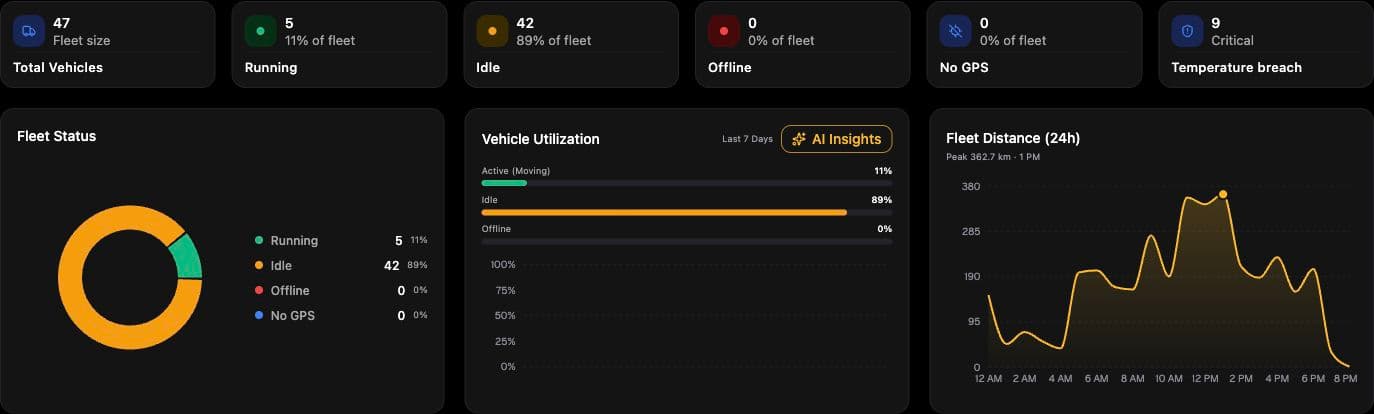
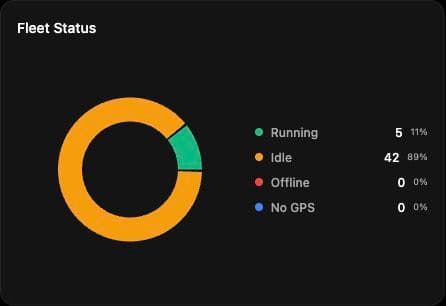
Review the active, idle and offline summaries to choose where to look first. An offline status is a reason to investigate connectivity and reporting, rather than assume a vehicle has stopped.
What this helps you doGive dispatch a starting point for the day’s review.
This tour combines real screenshots captured from the UAT platform on 7 October 2026 with a clearly labelled journey-workflow illustration. Account names, vehicle identifiers and precise locations are excluded. Captured numbers illustrate the interface and are not customer results. The tour explains a workflow without simulating live product controls. Available features, data, reports and update intervals must be confirmed for your configuration.
Choose a dispatch, journey or fleet-usage question that your team handles regularly.
Share vehicle types, device models and the signals needed to answer that question.
Ask to see the relevant workflow, confirm coverage and agree how a pilot would measure success.
See the power of SafarTrak
Bring your vehicles, your operational questions and your evaluation requirements. Let’s review the fit together.
Talk to the SafarTrak team