Login
About SafarTrak

The company behindSafarTrak.

Built by Codersbay Technologies for understandable, actionable fleet operations. SafarTrak brings fleet IoT and telematics into a product your team can evaluate against its vehicles and everyday work.

Fleet Software
SafarTrak Devices
Third-Party Compatibility
Rahi AI Insights

Our Purpose

A map pin is onlypart of the answer.

A vehicle may be stopped at a planned delivery, waiting to unload or no longer sending updates. Check the trip records and the time of the last report before deciding what happened.

SafarTrak brings these signals into one platform without forcing every fleet into the same hardware setup. Teams can check compatible existing trackers or select SafarTrak devices based on the vehicles and data they need.

Two warehouse workers handling a carton in a storage aisle
Warehouse operations
Behind SafarTrak

The company behindSafarTrak.

SafarTrak is the fleet IoT and telematics product from Codersbay Technologies. It was built to make fleet operations understandable and actionable: connecting vehicle records and supported device signals to the questions teams face each day.

Our responsibility is to help you understand what the product can show for your fleet and what your setup needs. Review the workflow with us, ask for model and deployment documentation, and agree the installation and support scope before rollout.

Company details & terms
Our Approach

How we approachfleet software.

Start with a task your fleet team needs to complete. Check the readings, the vehicle setup and the steps needed to get there.

01

Fit the Operation

Start with the fleet's workflows and required data. Choose a compatible device setup around those needs.

02

Build on Dependable Data

Treat installation, connectivity and signal verification as part of a useful software experience.

03

Keep Decisions in Context

Bring vehicle activity and journey information together so teams can investigate the question behind the data.

04

Make Intelligence Practical

Use AI alongside available fleet information to support exploration and operational judgment.

Explore the Product

See the software.Choose the right device.

Follow vehicle selection, journey reviews and movement reports in the guided product tour. Compare the device options for the readings your fleet needs.

Devices & Compatibility

Check compatible existing trackers or explore ST100 and ST200 for the data your fleet needs.

Explore device options

Industry Workflows

See how fleet information supports transport, delivery, distribution and cold chain operations.

Explore your industry
How We Work

From the First Conversation to Ongoing Support.

Move from the operational question to a written scope, representative vehicle checks and an agreed rollout. Confirm the required signals, responsibilities and support arrangements before relying on the fleet view.

Plan

Fleet manager reviewing rollout plans at a commercial vehicle depot

Structured fleet rollout

Choose the fleet question and representative vehicles to evaluate. Agree the required readings, acceptance checks, installation responsibilities and commercial scope before deployment begins.

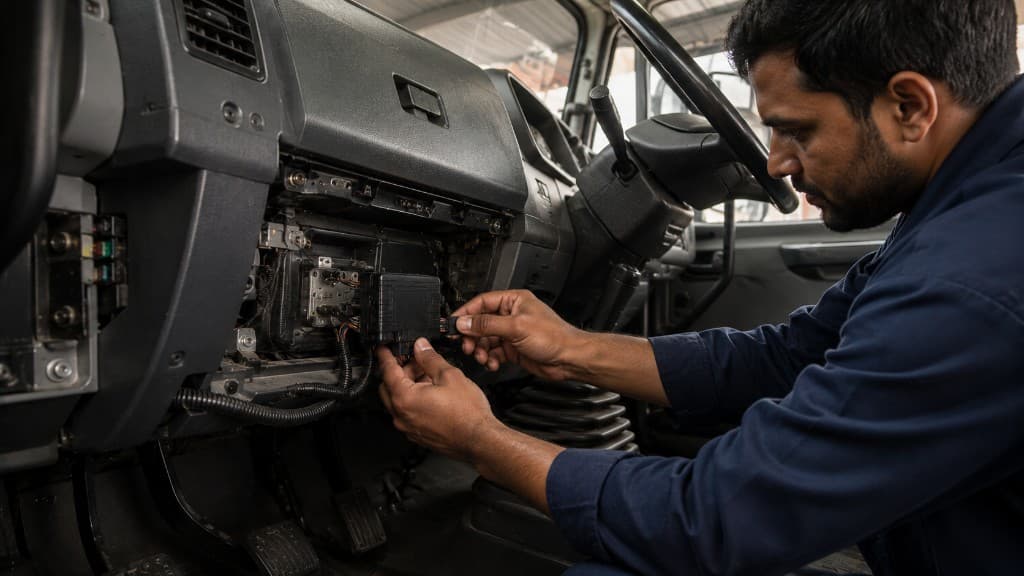
Install

Technician installing a telematics device in a vehicle dashboard

Installation Built for the Vehicle

Match the device, wiring, power source and supported peripherals to the vehicle. Document the installation so future checks have a clear starting point.

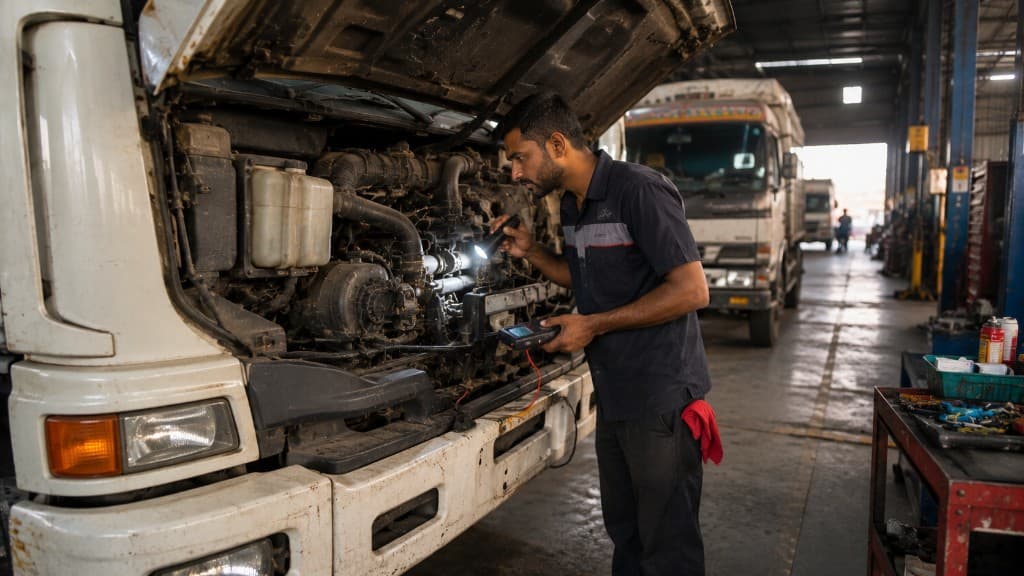
Verify

Technician verifying truck telematics with a diagnostic tablet

Verify the Required Signals Before Go-Live

On a representative vehicle, check timestamps, location, movement and each required supported signal. Review missing readings and walk through the records with the people who will use them; record what passes and what needs attention.

Maintain

Mechanic inspecting a truck engine during preventive maintenance

Keep Devices and Data Dependable

Review offline units, power interruptions, reporting gaps and installation health. Use that context to investigate recurring issues across the fleet.

Support

Operations team providing fleet support from a dispatch office

Support That Understands the Deployment

Bring the device model, installation record, vehicle context and available platform data into the support conversation. Discuss the support arrangements your operation needs.

Accountability & Support

Review our policies.Contact the right team.

Review our published policies and speak with the team about your fleet, data requirements and deployment. Clear information helps you assess the right fit.

Company & Security Evidence

Check the published company and website facts, then identify the platform controls and service commitments that need written evidence.

Review the trust centre

Privacy & Transparency

Our Privacy Policy identifies the platform operator and explains how personal information is collected and used.

Read the Privacy Policy

A Direct Conversation

Contact the team for fleet demos, device compatibility, deployment planning or support queries.

Contact the SafarTrak team
How we publish

Practical guidance.
Clear about its evidence.

SafarTrak publishes our fleet guides as an organization. The articles help teams prepare questions, compare options and review operations. Each guide names SafarTrak as its author and shows when its substantive content was last updated.

Explore the fleet guides

Sources in context

Where an article uses external technical guidance, we link the source and explain its relevance. Manufacturer documentation describes that manufacturer’s coverage; it does not establish compatibility with SafarTrak.

Examples you can inspect

Worked examples explain a calculation or decision method. They do not represent customer results, product pricing or promised savings.

Dates and corrections

The updated date reflects a substantive change to the guide. Product coverage depends on the vehicle, device and configuration. To suggest a correction, contact SafarTrak with the guide title and the passage to review.

See SafarTrak at work

Meet Your Fleet Intelligence Partner.Start a Conversation.

Bring your fleet question and existing tracker models. Review the workflow, confirm device coverage and
agree the evaluation and deployment scope.

Talk to the SafarTrak team