
A measured fleet evaluation
Evaluate the software
against your own fleet records.
Choose a daily question your team struggles to answer. Review the relevant vehicle records and report, then agree the baseline, coverage checks and acceptance criteria for a deployment decision.
- 01
Agree the question
Choose a late run, recurring idle time or utilisation question and name the review owner.
- 02
Observe the baseline
Record today’s process, a comparable period and the data you already trust.
- 03
Review the evidence
Record supported findings, unresolved gaps and a proceed, revise or pause decision.
Evidence your team can review
What must the evaluation demonstrate?
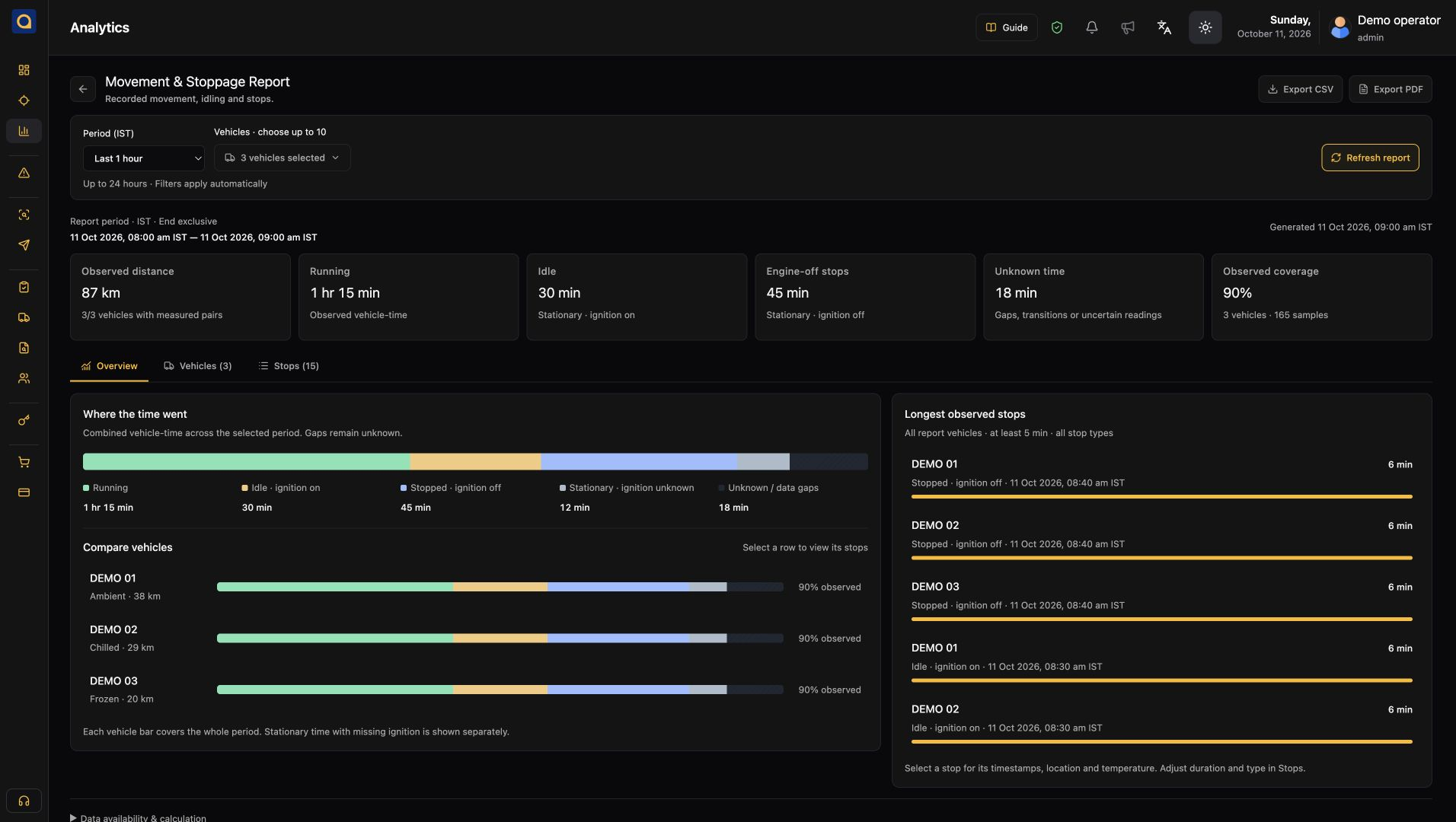
In the Movement-to-Stop report, select the vehicle and period, compare running, idling and stopped time, and check unknown coverage before drawing a conclusion.
| Workflow | Question | Method | Evidence to collect |
|---|---|---|---|
| Vehicle visibility | Can dispatch tell whether a position is current? | Record update age and status availability for the agreed vehicle sample. | Latest timestamps, known reporting intervals and connectivity exceptions. |
| Idling review | Can the team explain recurring idle time? | Compare equivalent vehicle groups, duties and operating periods. | Idle minutes, operating context and measured fuel assumptions. |
| Fleet usage | Which vehicles deserve a utilisation review? | Agree what running time and distance mean for your operation. | Reports for comparable days; missing data and outliers documented. |
| Team adoption | Can the right people complete the workflow? | Ask dispatch and fleet managers to complete an agreed task. | Task completion, access requirements and questions still unresolved. |
Keep the baseline, expected result, observed records and limitations together. Assign an owner to missing readings, reporting delays, training needs and integration questions. Record whether to proceed, revise the scope or pause.
For commercial scope see pricing & rollout. For security and service questions use the trust centre.
Recording results
Keep the result and its evidence together.
A result is useful when another person can understand the baseline, the measured period and the limitations. The worksheet below contains no customer claims.
| Record | Why it matters |
|---|---|
| Vehicle and device scope | A result from one configuration may not apply to another. |
| Metric, baseline and measured period | Use the same units and comparable operating conditions. |
| Missing records and other changes | Coverage gaps, seasonality and changed assignments affect the comparison. |
| Supporting records and customer permission | Review the evidence and approve the exact publication before sharing it. |
See SafarTrak at work
Show us the fleet problemyou want to solve.
Tell us which vehicles, devices and reports you need to evaluate. We’ll review the requirements with you.
Talk to the SafarTrak team