
01
Fleet visibility
Know where to focus.
Review reported locations and vehicle status in one fleet view. Move from the overview to individual vehicle context.
Explore capabilityThe SafarTrak platform
SafarTrak connects GPS vehicle tracking, recorded trips and supported vehicle signals in one fleet management platform. Give dispatch and operations teams a shared view of their commercial fleet.
Connected capabilities
Explore the layers of fleet intelligence that help your team see the whole operation and investigate the details.
Fleet visibility
Review reported locations and vehicle status in one fleet view. Move from the overview to individual vehicle context.
Explore capabilityJourneys & trips
Explore recorded trips, movement and stopped-time context when reviewing a journey or investigating an operational question.
Explore capabilityDriver events
Review supported driving events alongside journeys. Use recurring patterns and event context to guide driver reviews.
Explore capabilityFuel & idling
Review idling alongside vehicle activity. Bring in supported fuel readings where compatible vehicle data or calibrated sensors are available.
Explore capabilityVehicle data
Review available diagnostic and vehicle information alongside operational records to support investigation and maintenance planning.
Explore capabilityReports & analytics
Explore fleet activity and usage patterns. Give your team useful context for operational reviews and follow-up decisions.
Explore capabilitySee how it comes together
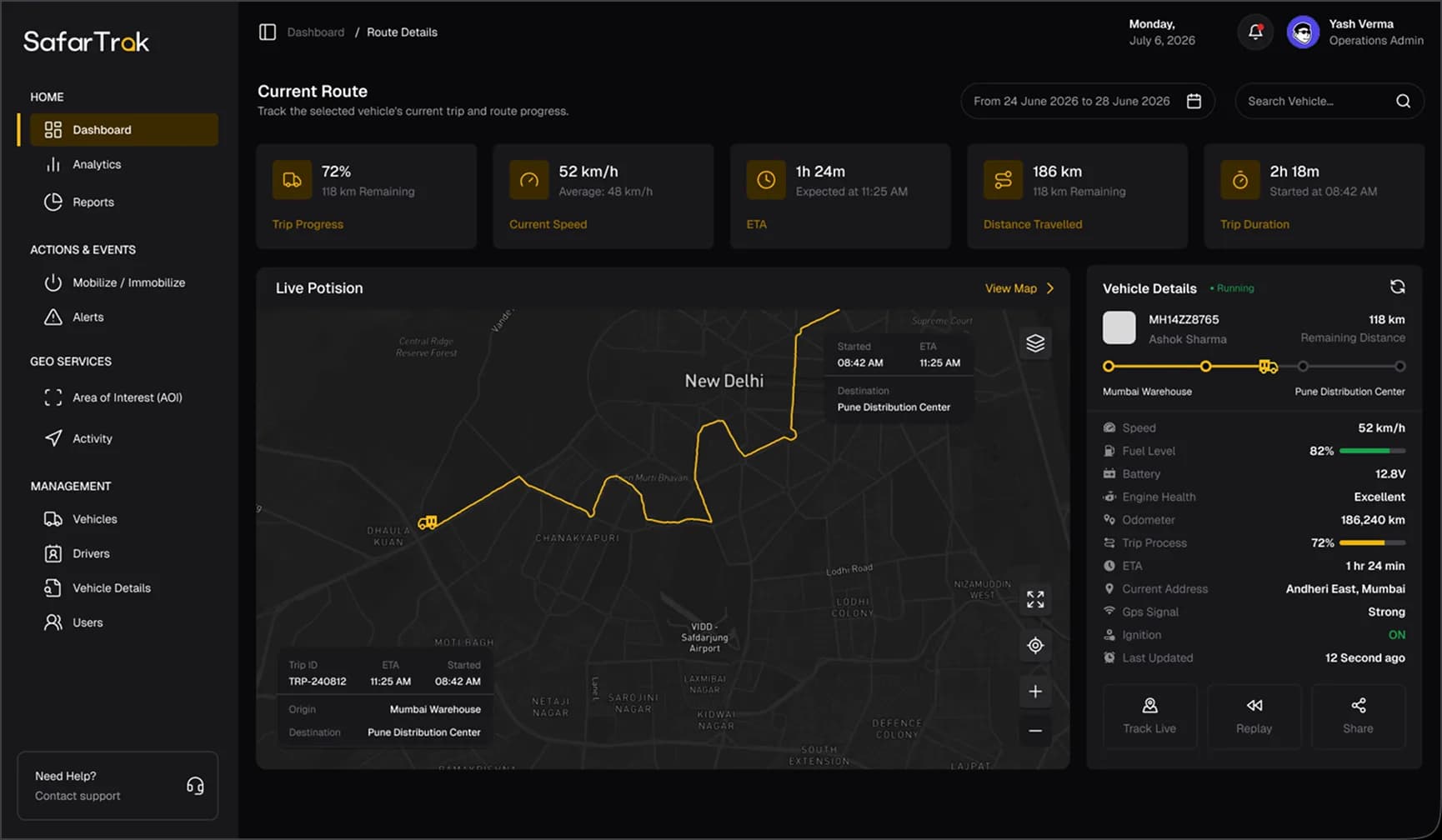
Choose a view below and follow a practical workflow through the SafarTrak interface.
What needs my attention today?
Bring vehicle status, reported positions and fleet activity into view. Start with the overview, then look more closely at the vehicles that matter to your team.
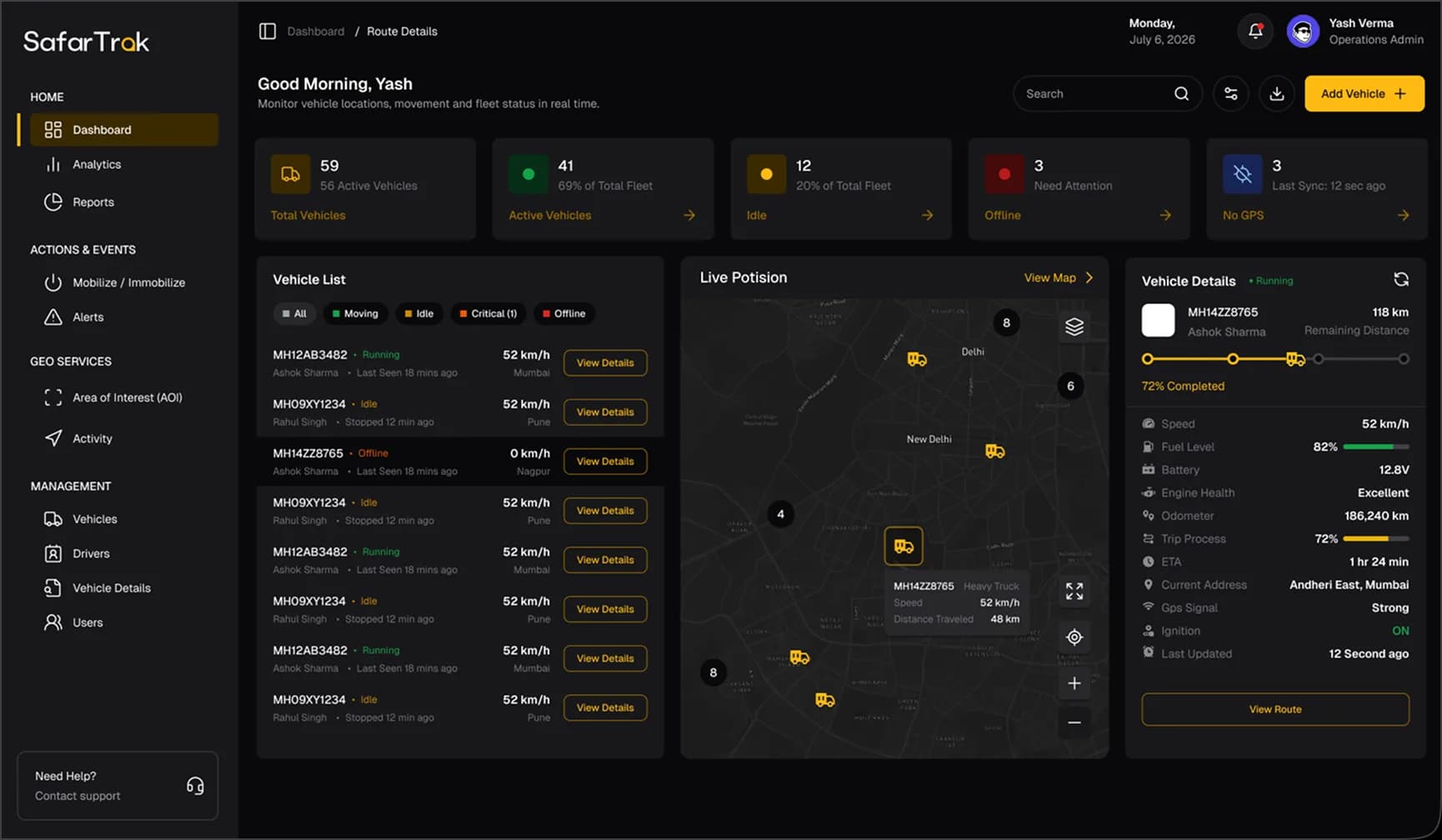 Interface preview · sample data
Interface previews illustrate the product experience. Available data and workflows depend on your fleet’s devices and configuration.
One platform. Shared understanding.
Operations & dispatch
Fleet managers
Business leaders
Rahi & fleet intelligence
Ask Rahi about SafarTrak, supported devices and the next step for your fleet. Your website assistant helps you find the right starting point.
For fleet AI, see the available capabilities in a guided platform demo. Bring an operational question and explore the supported data and workflows with our team.
Questions to explore with our team
Confirm supported AI questions, data sources and access requirements for your deployment.
Connect the fleet you operate
Explore supported existing trackers or SafarTrak device options. Build the connection around your vehicles, the signals you need and the workflows your team uses.
Discuss your device compatibilityShare your existing device models so we can check compatibility and data coverage.
Check supported connectionsExplore ST100 and ST200 options with a setup matched to your vehicle and monitoring requirements.
Explore devicesFuel, diagnostic, EV and sensor readings depend on supported hardware, vehicle interfaces and configuration. Reporting freshness depends on connectivity and device update intervals.
SafarTrak can connect supported third-party GPS and telematics devices. Share your device models and required data with our team so we can confirm compatibility and the right setup.
Available information depends on the vehicle, device, connectivity and configuration. Fuel, diagnostic, EV and temperature readings require supported interfaces or sensors. We’ll help confirm the signals your fleet needs before deployment.
Request a tailored platform demo. Share your fleet size, vehicle types and an operational question, and the SafarTrak team can walk you through the relevant screens and supported workflows.
Ask Rahi about SafarTrak, devices and demos on this website. To evaluate fleet AI, bring a real operational question to a platform demo and confirm the supported questions, data sources and access requirements for your setup.
See the power of SafarTrak
Bring your fleet’s priorities. We’ll walk you through the platform.
Talk to the SafarTrak team