
Where is running time going?
Compare available running and idle-time trends with distance and journey activity. Focus your review on comparable vehicles and duties before deciding what to change.
Plan an idling reviewFUEL & IDLING
Review supported fuel readings, idle time and recorded journeys with SafarTrak. Give your fleet team a clearer starting point for investigating unusual activity.
Fuel coverage depends on your vehicles, connected devices, sensors and configuration.
FROM ACTIVITY TO INVESTIGATION
Compare available running and idle-time trends with distance and journey activity. Focus your review on comparable vehicles and duties before deciding what to change.
Plan an idling reviewBring supported fuel readings alongside vehicle activity. Confirm whether the value represents a percentage, a quantity or an estimate before interpreting the change.
Check a sudden fuel dropUse the fleet context to choose the next check. Reconcile the available evidence with refuelling, dispatch and service records through your normal review process.
Explore the platform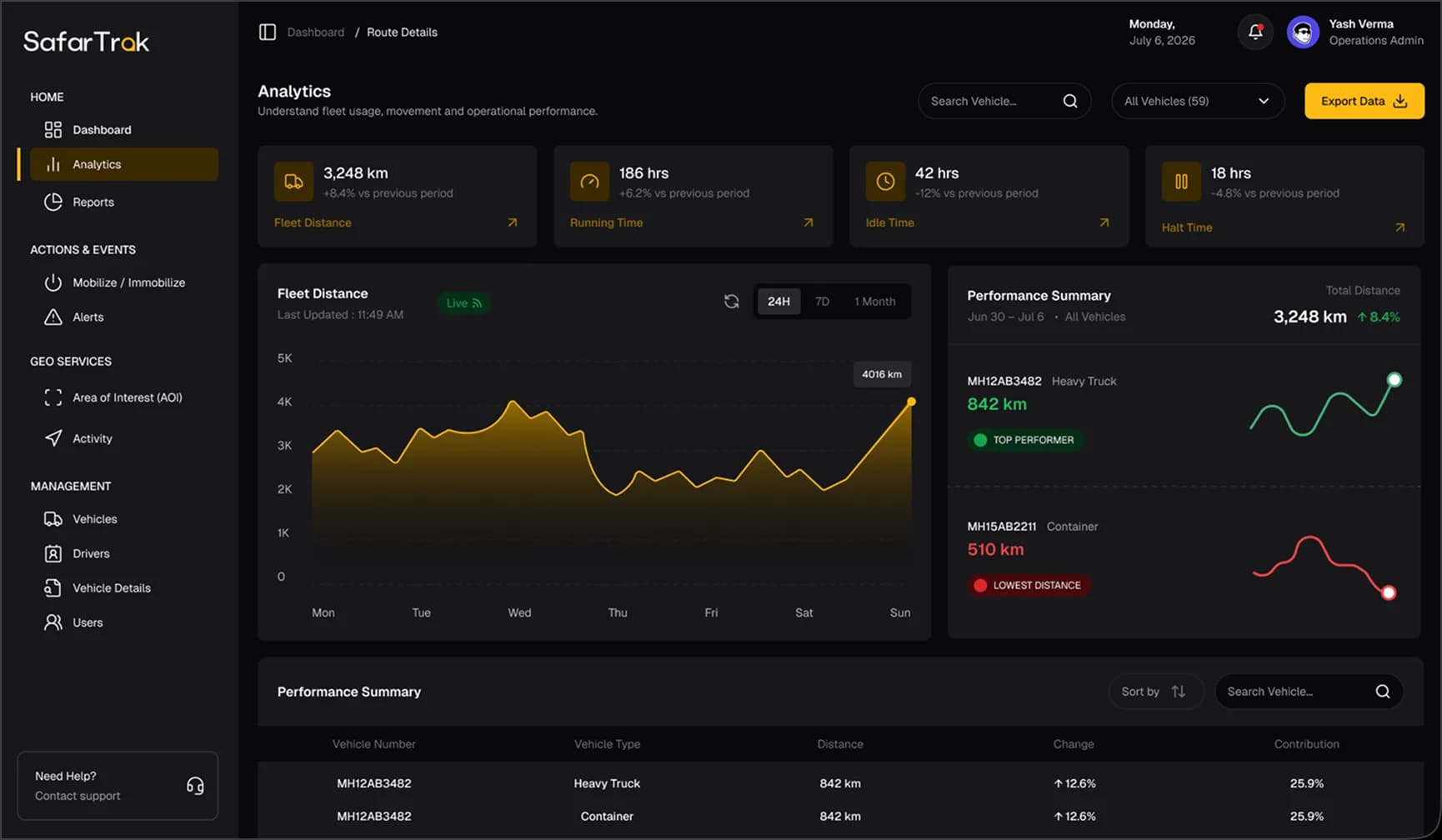
THE CONNECTION BEHIND THE READING
For trucks, vans and other commercial vehicles, the right fuel-monitoring setup starts with the vehicle and the data source. Check coverage for each combination in your fleet.
| Your priority | What the setup needs | What to validate |
|---|---|---|
| Idle-time review | Suitable ignition or engine-running signals and movement records | How idling is defined, reporting intervals and gaps in the record. |
| Vehicle-reported fuel | A compatible vehicle interface and a device that passes the required fuel signal | The available field, units, update frequency and vehicle coverage. |
| Fuel-level sensor readings | A supported sensor, compatible tracker and installation matched to the tank | Calibration, units, reporting and the effect of installation or tank changes. |
| Fuel exception investigation | Supported readings, timestamps and journey context, plus your purchase or dispatch records | What history and review workflow are available for the proposed setup. |
MAKE THE PILOT MEANINGFUL
Start with representative vehicles and a real operational question. Use the pilot to confirm the data your team can rely on before extending the rollout.
Download the pilot checklistList vehicle models, trackers, firmware and any fuel sensors.
Record the fuel source, units, calibration and idle-time definition.
Agree the expected reporting interval and how to handle missing records.
Review a known journey, stop and refuelling record with the team.
Confirm available history, review steps, responsibilities and rollout costs.
BEFORE YOU CHOOSE
Location tracking alone does not measure fuel quantity. Fuel readings need a supported vehicle interface or compatible sensor. Confirm the actual signal and units for each vehicle and device combination.
Supported third-party GPS and telematics devices can connect to SafarTrak. Share the manufacturer, model, firmware and connected sensors with our team. Location compatibility does not automatically mean fuel-data compatibility.
No. Review the source, timestamps, surrounding readings, calibration and operational records before reaching a conclusion. A reported change is a starting point for investigation, not proof of its cause.
Idle-time review may be possible when the connected setup provides suitable engine or ignition and movement information. Confirm the definition on representative vehicles. Any fuel-cost calculation using an assumed consumption rate is an estimate, not a measured fuel reading.
Request a quote for your fleet. Scope can include software, devices or sensors, installation, calibration, connectivity and onboarding. Ask the team to confirm monthly or yearly billing, trial scope and support arrangements for your deployment.
YOUR FLEET. YOUR MEASUREMENT.
Share your fleet size, vehicle types and existing devices. We’ll help confirm the supported readings and plan a relevant SafarTrak demo.